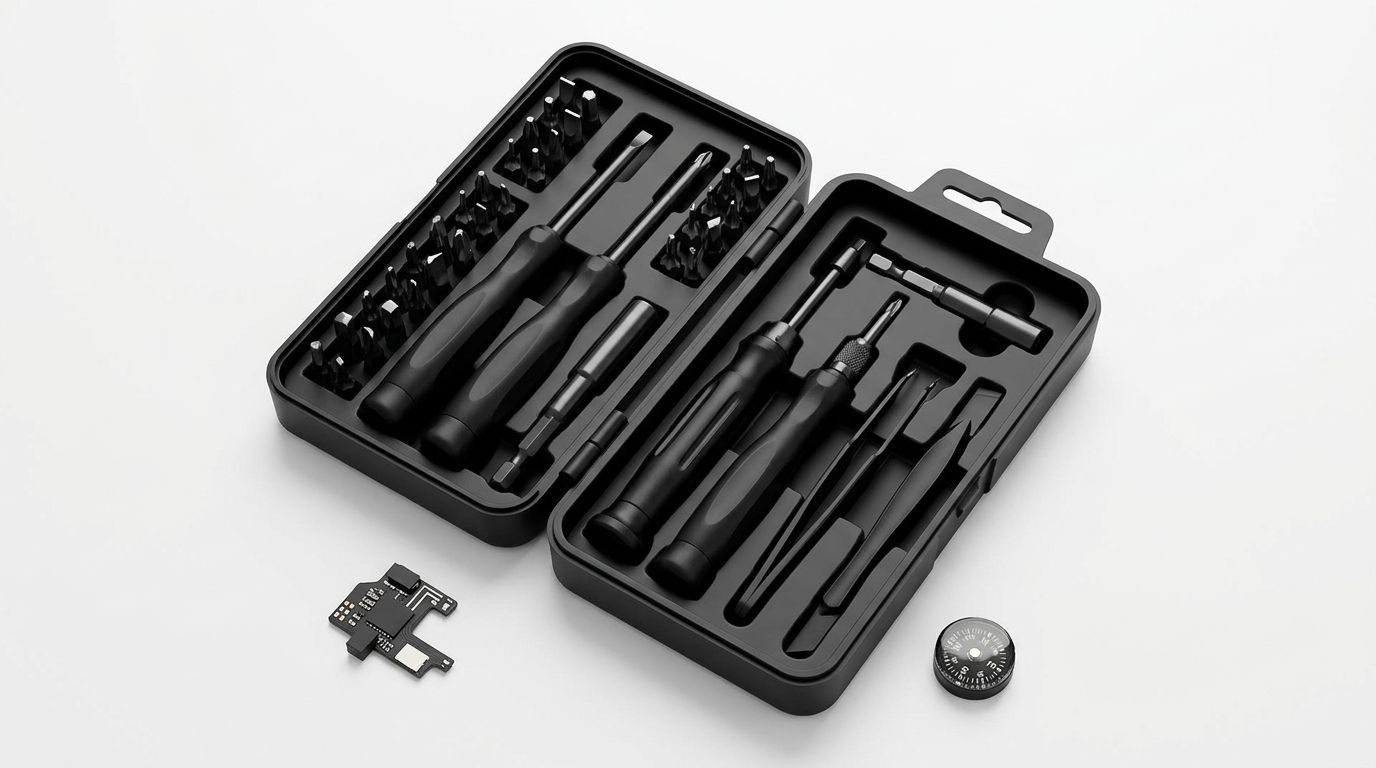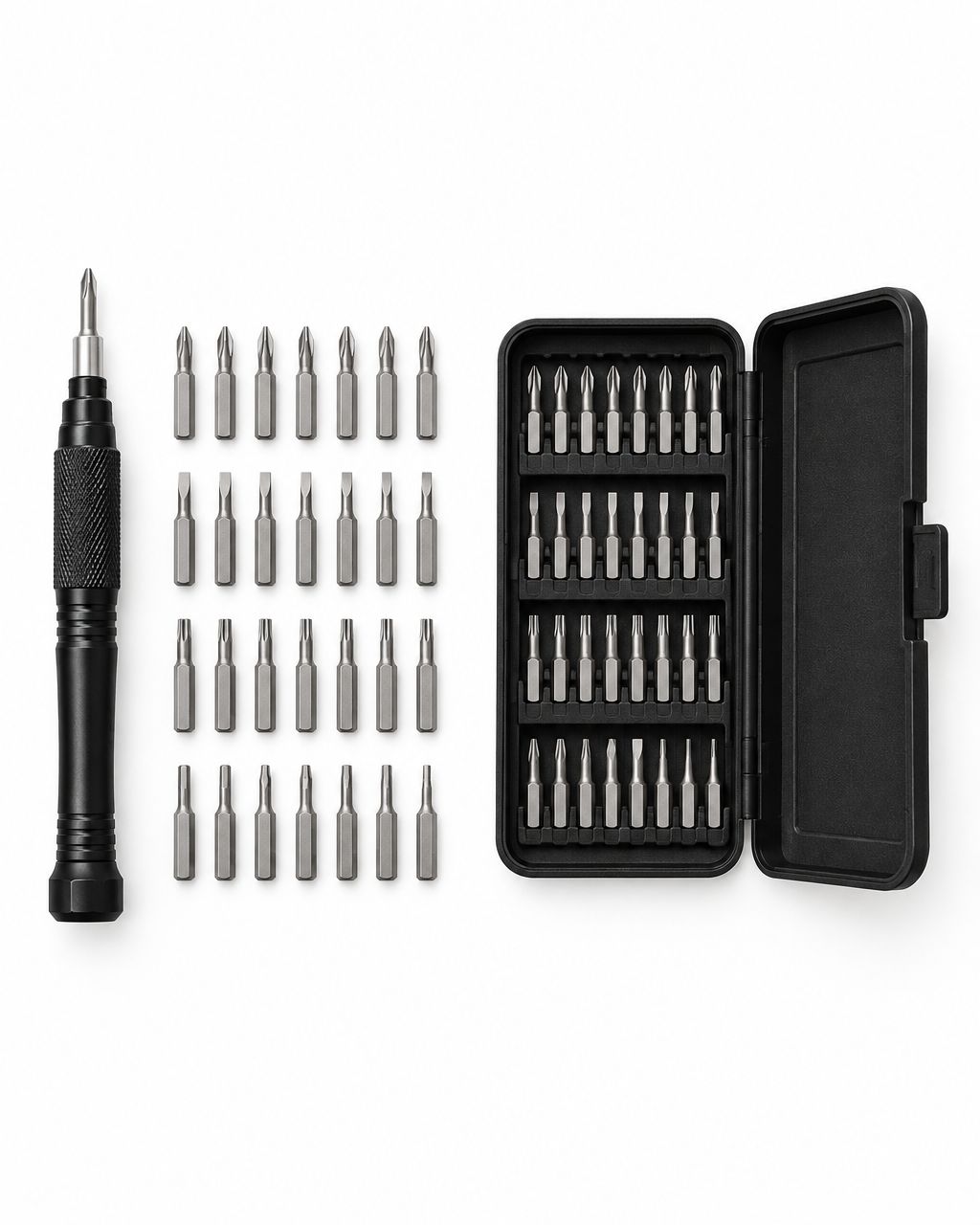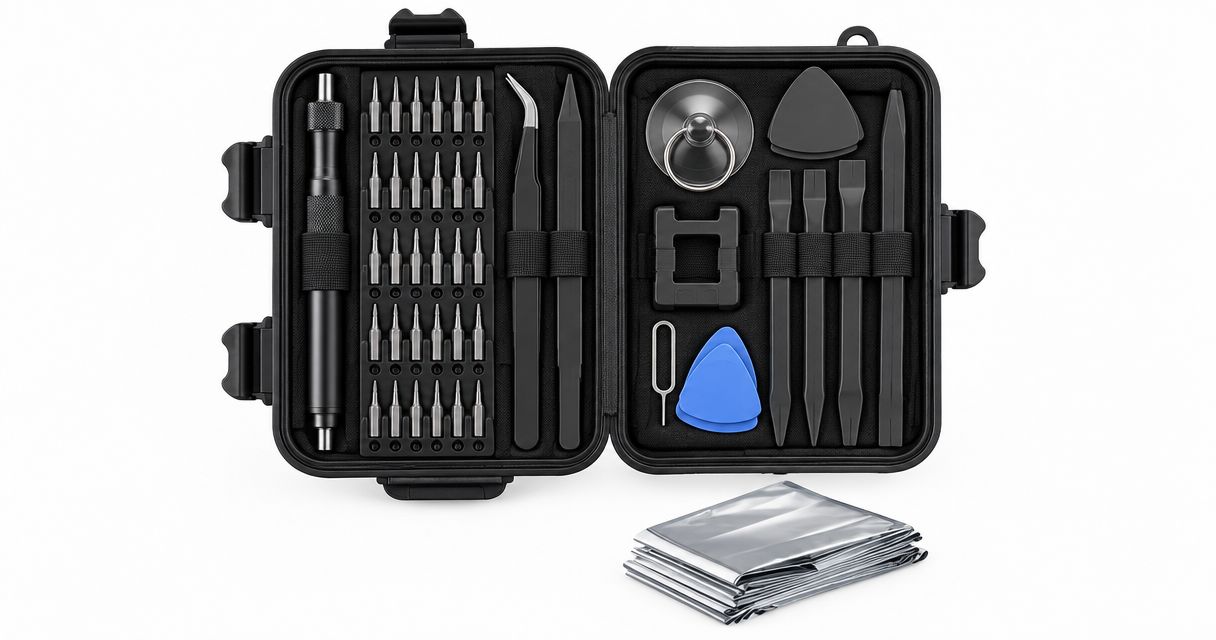
Best overall for everyday repairs: a manual precision set with verified bit sizes. Best for repeat jobs: dedicated small screwdrivers. Best for specialty screws: a matching security-bit set. Nexonamart offers the 32-in-1 Hardware Tool Combination Screwdriver Set as a computer-maintenance option to check against your repair needs; this 2026 guide explains which type to choose and what to verify before buying.
- The best precision screwdriver set matches your screw heads and gives you controlled access—not just more pieces.
- Nexonamart’s 32-in-1 Hardware Tool Combination Screwdriver Set lists computer maintenance; verify bit sizes before choosing it.
- Dedicated small screwdrivers suit repeated simple repairs; security-bit sets suit specific specialty fasteners.
- Choose a powered precision driver for repetitive work, not as a substitute for checking screw fit.
Why this matters
A loose battery cover and a laptop repair need different buying decisions. The first starts with an accessible screw; the second can involve hidden fasteners, clips, cables, and device-specific instructions. Owning the right screwdriver does not make every repair suitable for home work.
Buy for the screws you need to turn, not the biggest number on the case. A large assortment does not help when the correct tip is missing or the driver cannot reach the screw straight on. Start with the object you want to fix, then choose the tool.
This 2026 guide ranks tool types by everyday use rather than claiming that an unverified product outperforms another. The named store option has a stated maintenance use, but its description does not establish its exact bit selection or handling features.
What makes the best precision screwdriver set
Use these five criteria before comparing sets:
- Screw fit: Match both the head pattern and size. A tip that enters the screw but rocks inside it is not a good fit.
- Controlled handling: Choose a handle you can keep aligned while turning gently. Small screws need control rather than force.
- Access: Check whether the tip and shaft can reach a recessed screw without the handle hitting the surrounding housing.
- Useful coverage: Look for the fasteners your actual repairs require. Extra accessories do not replace the right screwdriver tip.
- Clear organization: Prefer an identifiable bit layout or clearly marked drivers. Finding the right tool should not become another repair task.
For a 2026 purchase, check the current product details against all five points. A title such as 32-in-1 describes the set’s advertised format; it does not establish that you receive 32 screwdriver bits or that every piece fits your devices.
Precision screwdriver options at a glance
The order below starts with the named store option, then separates the alternatives by the problem they solve. These are buying routes, not a laboratory performance ranking.
| Option | Best for | Standout feature or buying reason | Key limitation |
|---|---|---|---|
| 32-in-1 Hardware Tool Combination Screwdriver Set | Checking a computer-maintenance option | Computer and telecom maintenance are listed uses | Exact bit sizes and handling features need verification |
| Manual interchangeable-bit precision set | A first set for varied small repairs | Different matching tips work with a shared handle | Missing or poorly fitting bits stop the repair |
| Dedicated small screwdrivers | Repeating familiar, accessible repairs | Each driver keeps its own tip attached | Several drivers take more storage space |
| Security-bit precision set | A known specialty screw pattern | Targets fasteners outside basic everyday patterns | Compatibility depends on the exact head and size |
| Powered precision driver | Repetitive screw removal | Reduces repeated hand turning | Requires careful control and device-appropriate use |
1. 32-in-1 Hardware Tool Combination Screwdriver Set
Best candidate to check for computer maintenance
The 32-in-1 Hardware Tool Combination Screwdriver Set is the named Nexonamart precision screwdriver set option in this guide. Its product description lists computer maintenance and telecom maintenance as applicable scenarios. That makes it relevant to a shopper looking for small-device repair tools, but not proof of compatibility with a particular computer.
Nexonamart’s precision screwdriver set is a computer-maintenance candidate for shoppers who verify the required bit sizes before buying. Use your device’s repair instructions to identify those sizes, then compare them with the set’s current details.
Do not assume the title confirms magnetic tips, a rotating handle cap, an extension, or opening tools. Treat each of those as a separate feature to check if your repair needs it.
32-in-1 Hardware Tool Combination Screwdriver Set pros:
- Computer maintenance is an explicitly listed use.
- Telecom maintenance is also an explicitly listed use.
- The named set gives you a specific option to compare against a repair checklist.
32-in-1 Hardware Tool Combination Screwdriver Set cons:
- The supplied description does not identify the exact bit patterns and sizes.
- Device-specific compatibility is not established.
- Handle design and included accessories require verification.
Best for: Shoppers evaluating a computer-maintenance set against known fastener requirements.
Verdict: Hold until the required bit sizes and access features are confirmed.
2. Manual interchangeable-bit precision set
Best precision screwdriver set for varied everyday repairs
A manual interchangeable-bit precision set uses a shared handle with removable tips. It is the default buying route when you want to tackle different small household jobs, such as opening a screw-fastened battery compartment or tightening an accessible fastener on a desk accessory.
The useful feature is flexibility, not the advertised piece count. You choose the correct tip for each job and control the turning by hand. Check the actual bit list before treating any set as an all-purpose answer.
Manual interchangeable-bit precision set pros:
- Different tips support different matching screw patterns.
- A shared handle keeps the basic setup compact.
- Hand turning lets you stop immediately when resistance changes.
- Individual tips can be compared with the screw before turning.
Manual interchangeable-bit precision set cons:
- Small removable bits are easy to misplace without organized storage.
- A shared handle does not guarantee access to a deep recess.
- A broad assortment still excludes screws it does not specifically match.
Best for: Your first precision set for several kinds of small, accessible repairs.
Verdict: Buy when the bit list matches your jobs; this is the default type for an undecided shopper.
3. Dedicated small screwdrivers
Best precision screwdriver option for repeat repairs
Dedicated small screwdrivers keep the tip attached to its own handle. They suit a household that repeatedly uses the same known screw sizes and does not need a changing assortment of specialty bits.
Think of a familiar battery compartment or another accessible fastener you routinely remove. Choosing a clearly identified driver avoids swapping tips every time. Check shaft length and handle clearance as well as tip fit.
Dedicated small screwdrivers pros:
- No removable bit needs installing before use.
- Each driver stays associated with its own tip.
- You can select an individual tool around a familiar repair.
Dedicated small screwdrivers cons:
- Several separate handles need more storage space.
- An unfamiliar screw pattern requires another matching driver.
- A fixed tip does not offer interchangeable-bit flexibility.
Best for: Repeated work on familiar, accessible screws.
Verdict: Buy for repeat jobs; skip as your only option when your repairs involve varied specialty fasteners.
4. Security-bit precision set
Best precision screwdriver set for specialty fasteners
A security-bit precision set focuses on screw patterns beyond a basic selection. Some specialty screws use a center pin or a distinctive head shape; they require a matching tip rather than a close-looking substitute.
Choose this category only after identifying the fastener. A product labeled security, electronics, or universal still needs the exact pattern, size, and reach your repair requires. Those labels are not interchangeable with confirmed compatibility.
Security-bit precision set pros:
- A matching specialty tip addresses a fastener a basic driver cannot fit.
- An identified bit selection helps you plan a device-specific repair.
- The category suits shoppers with a known specialty-fastener requirement.
Security-bit precision set cons:
- Specialty coverage varies between sets.
- A matching head pattern is insufficient if the size is wrong.
- Opening the screws does not solve clips, adhesives, or internal repair steps.
Best for: A specific device whose repair instructions identify specialty screws.
Verdict: Buy for a confirmed requirement; skip buying specialty coverage solely because it sounds more complete.
5. Powered precision driver
Best precision screwdriver option for repetitive work
A powered precision driver turns the bit using a motor. Its practical use is reducing repeated hand turning when you regularly remove and reinstall similar small screws.
It is not the first purchase for an occasional battery-cover repair. Before choosing one, check its control features and the device manufacturer’s repair guidance. A powered tool cannot compensate for the wrong bit or a screw that is not aligned correctly.
Powered precision driver pros:
- Motorized turning reduces repeated manual twisting.
- It suits recurring work involving similar fasteners.
- A compatible interchangeable-bit model can serve different matching screws.
Powered precision driver cons:
- Battery-powered models introduce charging or battery replacement.
- Motorized turning requires care around delicate threads and housings.
- A manual driver remains useful for controlled starting and final tightening.
Best for: Shoppers doing recurring small-device work rather than occasional household fixes.
Verdict: Wait unless repetitive turning is a real problem in your repairs.
Check fit before you start turning
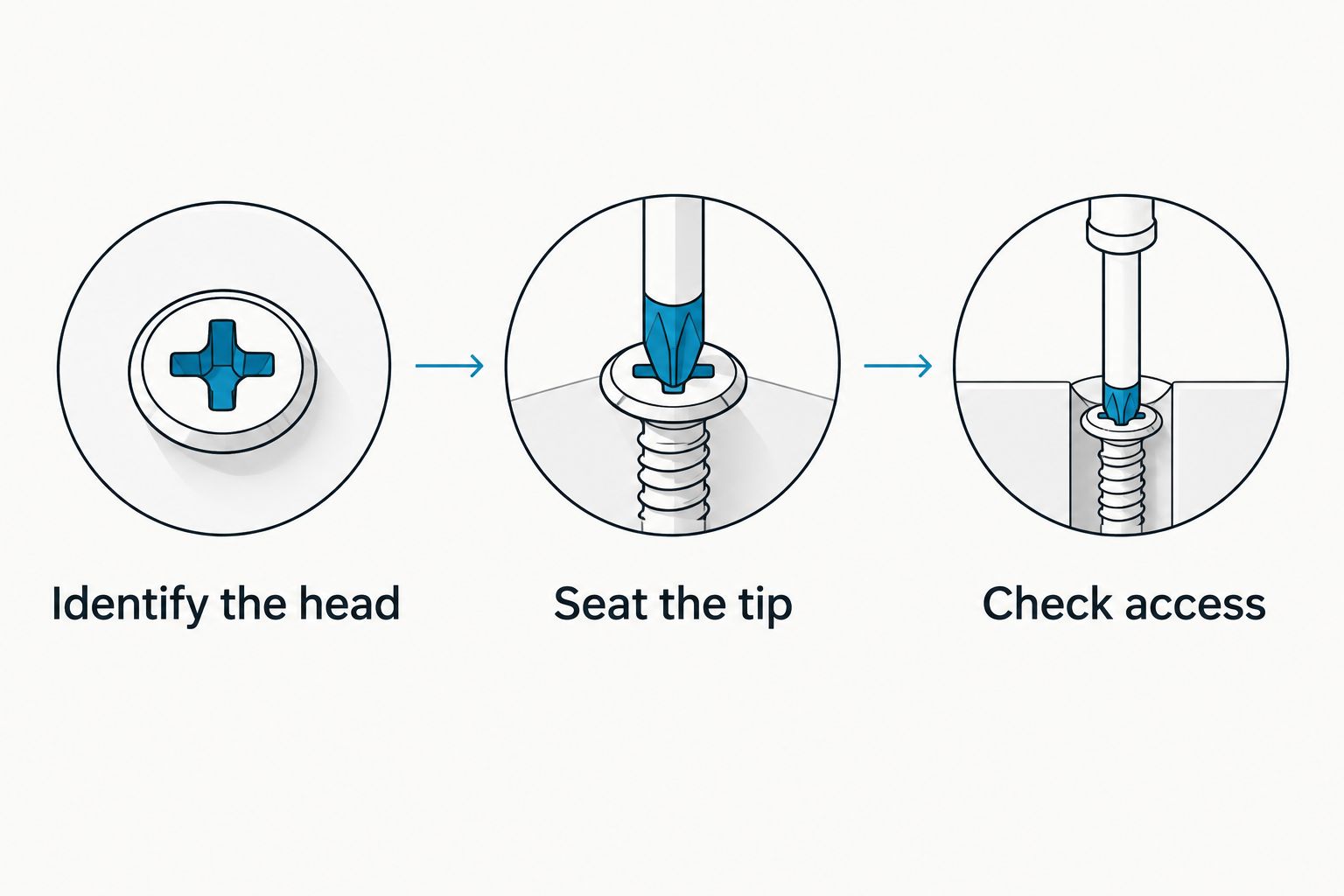
Use this three-step check with any precision screwdriver set. It keeps the buying decision connected to what happens at the work surface.
- Identify the head: Inspect the screw under good light. Use device-specific instructions when the pattern is unfamiliar.
- Seat the tip: Place the matching tip into the screw without turning. Check that it seats fully and stays aligned.
- Check access: Confirm that the driver reaches straight into the screw without pressing against the surrounding housing.
If the tip rocks or the handle forces you to approach at an angle, stop. Recheck the tool instead of adding pressure.
Work on 1 screw at a time, and keep removed screws associated with their original positions. A simple layout on your work surface helps prevent mixing fasteners during reassembly. Do not assume screws from the same device are interchangeable.
Disconnect external power before device work and follow the manufacturer’s instructions for batteries. Leave damaged batteries, mains-powered internals, and unfamiliar electrical repairs to an appropriate repair professional.
How the ranking works
This 2026 ranking separates everyday repair needs: a listed computer-maintenance option, varied manual repairs, repeated familiar jobs, specialty fasteners, and repetitive powered turning. The criteria are screw fit, controlled handling, access, useful coverage, and organization.
The Nexonamart option appears first because it is the relevant named store product, not because its performance has been established against competing sets. The recommendations do not represent hands-on testing or verified durability comparisons.
Which precision screwdriver set should you choose?
Choose a manual interchangeable-bit precision set if you need one starting point for varied everyday repairs. Confirm the bit selection against the objects you actually own. Dedicated drivers make more sense when you keep returning to the same screws.
For computer maintenance, compare the Nexonamart set with your device’s requirements before committing. Choose specialty bits only for a known fastener, and reserve a powered driver for genuinely repetitive work. In 2026, the useful upgrade is the tool that solves your next repair—not a larger collection without a purpose.
FAQ
What’s the best precision screwdriver set for beginners?
A manual interchangeable-bit precision set with verified sizes is the best starting type for varied everyday repairs. Match its bit list to your household items and check that the handle can reach their screws straight on.
Is the Nexonamart 32-in-1 set suitable for computer repairs?
The 32-in-1 Hardware Tool Combination Screwdriver Set lists computer maintenance as an applicable use. Confirm the exact bit sizes and required accessories against your computer’s repair instructions before choosing it.
Does a 32-in-1 screwdriver set contain 32 bits?
The 32-in-1 title alone does not establish that the set contains 32 bits. Read the component list rather than treating the advertised format as a verified bit count.
Are dedicated screwdrivers better than interchangeable bits?
Dedicated screwdrivers suit repeated familiar repairs, while interchangeable bits suit varied screw patterns. Choose around your actual jobs rather than assuming either format is always better.
Do I need security bits for everyday household repairs?
You need security bits when your item uses a matching specialty fastener. Identify the exact screw pattern and size before buying a security-bit set.
Should I buy an electric precision screwdriver in 2026?
Buy a powered precision driver in 2026 when repetitive screw turning is a recurring task. For occasional small repairs, start with a matching manual driver and controlled hand turning.
What should I do if the screwdriver slips?
Stop turning and recheck the tip’s pattern, size, and alignment. Continuing with a slipping driver risks damaging the screw head; a damaged fastener needs a different repair approach.
One last thing
Before buying, photograph the screw you need to turn and write down the device model. That small preparation gives you a concrete reference when checking bit lists and repair instructions. For your next 2026 repair, identify the fastener before choosing the set.